How to Edit Faster Without Losing Quality (Creator Workflow)
Introduction
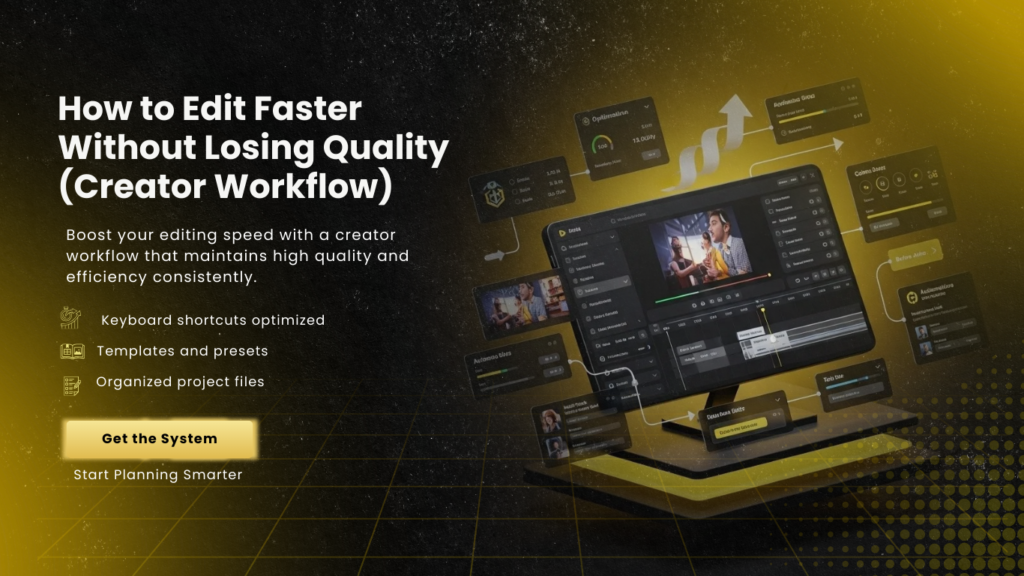
Video editing is one of the most time-consuming aspects of content creation, but it is also crucial for producing professional, engaging videos. In 2026, creators face increasing pressure to publish consistently across platforms like YouTube, TikTok, and Instagram. Editing efficiently without sacrificing quality is essential to maintain productivity, audience engagement, and overall content performance.
A streamlined workflow can dramatically reduce editing time while maintaining high standards of visual storytelling, pacing, and audio-visual polish. This guide explores practical strategies for editing faster without losing quality, covering everything from pre-production planning to professional editing techniques. It also highlights how services like Prime Edits Ltd can support creators in optimizing workflow and output.
Plan Before You Shoot
Efficient editing begins before the camera even rolls. Pre-production planning saves hours of post-production work by ensuring footage is organized, consistent, and aligned with the video’s purpose.
Scripting, storyboarding, and shot lists help creators know exactly what they need, reducing unnecessary footage and guesswork. By planning angles, B-Roll, graphics, and captions in advance, editors spend less time rearranging clips or correcting mistakes. This preparation ensures that every clip serves the narrative and contributes to a polished final product.
Organize Your Footage Systematically
A major cause of slow editing is poorly organized files. Footage should be organized by date, content type, scene, or camera angle. Naming files consistently and maintaining separate folders for raw footage, graphics, music, and sound effects saves significant time during editing.
Professional editors use software that allows metadata tagging, proxy creation, and timeline organization, enabling faster searches and smoother workflow. When creators adopt structured organization from the start, they can focus on creative editing rather than administrative tasks.
Use Proxy Files for Faster Editing
High-resolution footage can slow down software, especially when using 4K or 8K recordings. Proxy files are lower-resolution copies of original footage that allow editors to work faster without compromising the final output.
Using proxies reduces lag, accelerates scrubbing, and makes real-time editing possible. Once the edit is complete, the software replaces proxies with full-resolution files for export, maintaining high quality. This technique is widely used by professional teams like Prime Edits Ltd to optimize workflow without sacrificing visual fidelity.
Master Keyboard Shortcuts and Software Tools
Learning keyboard shortcuts and advanced software features significantly speeds up editing. Every editor has a set of frequently used commands for cutting, trimming, navigating the timeline, and applying effects.
Professional software like Adobe Premiere Pro, Final Cut Pro, or DaVinci Resolve offers customizable shortcuts, batch processing, and template features that reduce repetitive tasks. By mastering these tools, creators can complete tasks in seconds that would otherwise take minutes, dramatically reducing editing time.
Use Templates and Presets Strategically
Templates and presets for text, transitions, effects, and color grading save time and ensure consistency across videos. Creators can develop a library of reusable assets, such as intro animations, lower-thirds, caption styles, and sound effects.
When applied thoughtfully, templates maintain visual quality and branding while minimizing the time spent creating elements from scratch. Teams like Prime Edits Ltd often provide professional templates customized to match a creator’s style, helping maintain consistency while speeding up the workflow.
Organize a Rough Cut First
Starting with a rough cut allows editors to focus on the structure and pacing without worrying about fine details. Place clips in order, remove unusable footage, and establish a basic timeline before refining transitions, effects, or audio.
This step reduces decision fatigue during detailed editing and ensures that the final product maintains narrative clarity and cohesion. By separating rough cutting from polishing, creators can edit faster and maintain a higher quality standard.
Streamline Audio and Music Integration
Audio editing is often overlooked, but sound quality is critical to professional content. Organize voiceovers, music tracks, and sound effects in separate layers, normalize volumes, and apply consistent audio processing across videos.
Using pre-mixed music libraries, automated noise reduction, and batch processing tools saves time. Proper audio organization also reduces errors and improves the overall polish of the video. Professional editors like Prime Edits Ltd ensure that audio is balanced and synchronized efficiently, maintaining quality while speeding up workflow.
Optimize Visual Effects and Color Grading
Applying effects and color grading can be time-consuming, but workflow optimizations make a difference. Use adjustment layers, LUTs, and effect presets to maintain consistency across scenes and videos.
When possible, apply effects after rough cutting to avoid wasting time on unusable footage. Layer organization, proxies, and batch processing in editing software allow creators to achieve cinematic quality efficiently. Professional teams can also automate repetitive visual enhancements, saving time without compromising aesthetics.
Incorporate Captions and Graphics Professionally
Captions, lower-thirds, and on-screen graphics enhance engagement but can slow editing if not planned properly. Templates, style guides, and batch captioning tools accelerate this process.
Placing captions after rough cuts ensures proper timing and alignment with visuals. Strategic use of graphics improves storytelling and professionalism without creating additional workload. Services like Prime Edits Ltd handle these elements seamlessly, saving creators hours while enhancing video quality.
Collaborate and Delegate Effectively
Editing faster often requires collaboration. Delegating tasks such as audio cleanup, B-Roll selection, or graphics integration allows creators to focus on high-level decisions like storytelling, pacing, and creative direction.
Professional editing teams act as extensions of the creator, ensuring workflow efficiency while maintaining consistent quality. By partnering with experts, creators can accelerate production cycles and maintain professional standards without personal burnout.
Why Choose Prime Edits Ltd
Prime Edits Ltd specializes in helping creators edit faster without losing quality. Their team provides end-to-end editing services, including rough cuts, B-Roll integration, color grading, captions, and audio polishing.
By combining expert workflow strategies, software mastery, and professional editing techniques, Prime Edits Ltd ensures that videos are produced efficiently while maintaining a polished, professional finish. Creators can focus on content creation, knowing their videos will be edited quickly and effectively.
Conclusion
Editing faster without losing quality requires a combination of planning, organization, software mastery, and professional support. Pre-production planning, systematic footage management, proxy workflows, templates, and collaboration all contribute to a more efficient workflow.
Integrating professional editing services like Prime Edits Ltd allows creators to maintain high-quality standards while accelerating production, improving engagement, and sustaining consistent publishing schedules. A streamlined workflow not only saves time but also ensures that every video is polished, professional, and optimized for audience retention and growth.
FAQs
How can I edit videos faster without compromising quality?
By planning footage, using proxies, mastering keyboard shortcuts, utilizing templates, and organizing audio and graphics strategically.
What is a rough cut, and why is it important?
A rough cut is an initial assembly of clips that establishes structure and pacing before refining visuals, audio, and effects. It helps speed up the editing process.
How do proxies improve editing speed?
Proxies are low-resolution copies of high-resolution footage that allow smoother timeline playback and faster real-time edits, without affecting final output quality.
Can templates and presets maintain quality while saving time?
Yes. Templates for captions, transitions, effects, and graphics maintain consistency and professionalism while reducing repetitive work.
How does Prime Edits Ltd help creators edit faster?
Prime Edits Ltd provides expert editing services, including B-Roll integration, color grading, captioning, and audio polishing, streamlining the workflow while maintaining high-quality production standards.